Rollout & Cohorts
Since v0.30.0+Gradually roll out bundles from 1% to 100%, inspect the active cohort on device, and target specific cohorts from the console.
Overview
Hot Updater uses cohorts to decide whether a device is eligible for a bundle.
- Every install gets a persisted numeric cohort from
1to1000. npx hot-updater deploy -r <percentage>maps1..100to those numeric cohorts.- Omitting
-ruses100, which is a full rollout. -r 0is also valid when you want to deploy a bundle without exposing it to numeric rollout yet.- Custom cohorts such as
qa,dogfood, orvip-testerscan be assigned directly on the device.
Percentage rollout applies only to numeric cohorts. Custom cohorts do not
participate in percentage rollout on their own. To keep a custom cohort such
as qa receiving the same bundle alongside numeric rollout, add it to Target Cohorts.
Deploy a Bundle with RollOut
Use -r during deploy:
npx hot-updater deploy -p ios -r 10
npx hot-updater deploy -p ios -r 25
npx hot-updater deploy -p ios -r 100
-r 10targets 100 of 1000 numeric cohorts.-r 25targets 250 of 1000 numeric cohorts.-r 100, or omitting-r, targets the full audience.
Hot Updater keeps the selected numeric cohort set stable per bundle. That means
increasing a bundle from 10% to 25% expands the same bundle's eligible set
instead of reshuffling everyone.
Scenario 1: Numeric Rollout Flow
This scenario covers the normal numeric rollout flow.
In this scenario, assume HotUpdater.getCohort() returns 411.
See the Current Cohort on Device
Check the current device cohort with HotUpdater.getCohort():
import { HotUpdater } from "@hot-updater/react-native";
import { Text } from "react-native";

export function CohortStatus() {
  return <Text>HotUpdater.getCohort(): {HotUpdater.getCohort()}</Text>;
}
This is the device state before rollout:
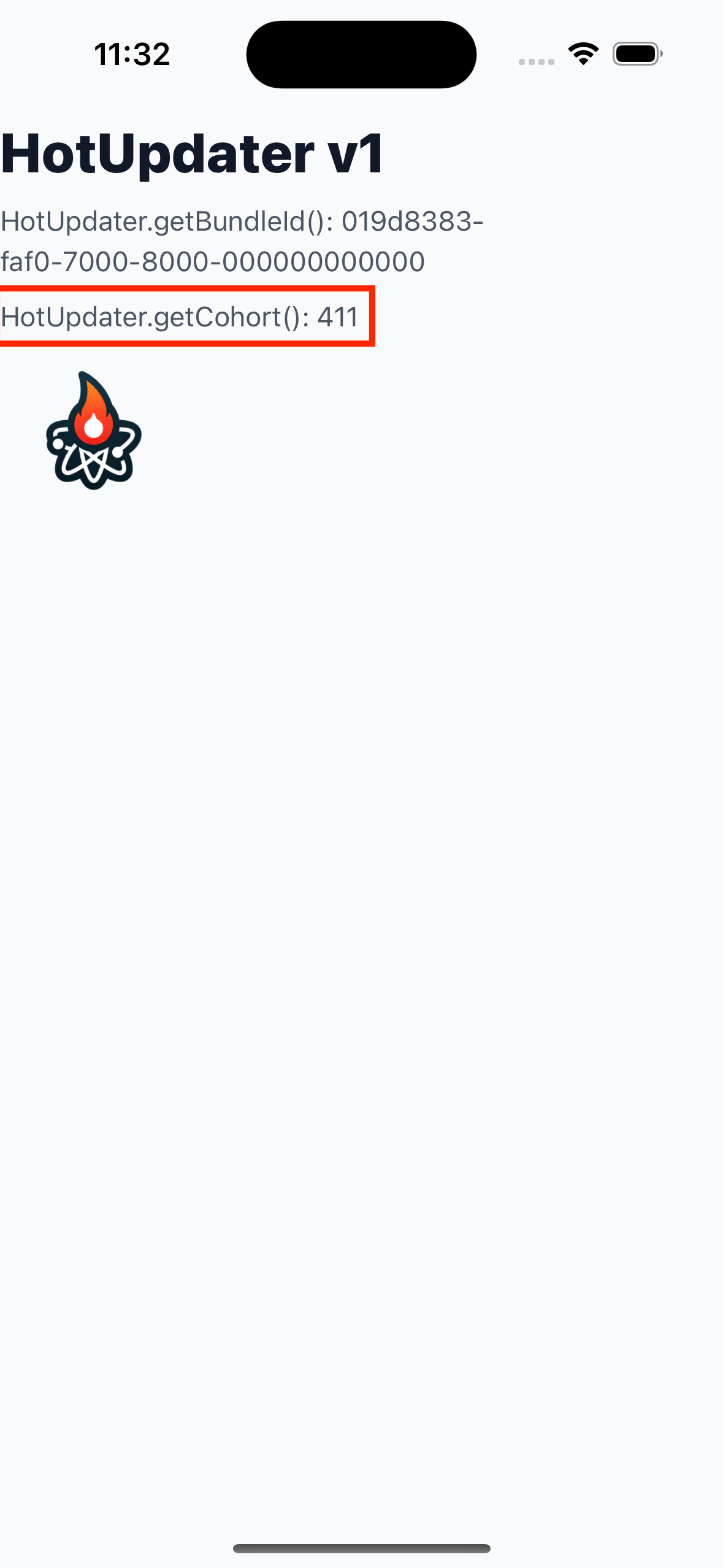
In this example, HotUpdater.getCohort() returns 411, so this device belongs
to cohort 411.
Preview the Selected Numeric Cohorts
Assume you deploy the bundle with a 50% rollout:
npx hot-updater deploy -p ios -r 50Open the bundle in the console and click Preview Cohorts:
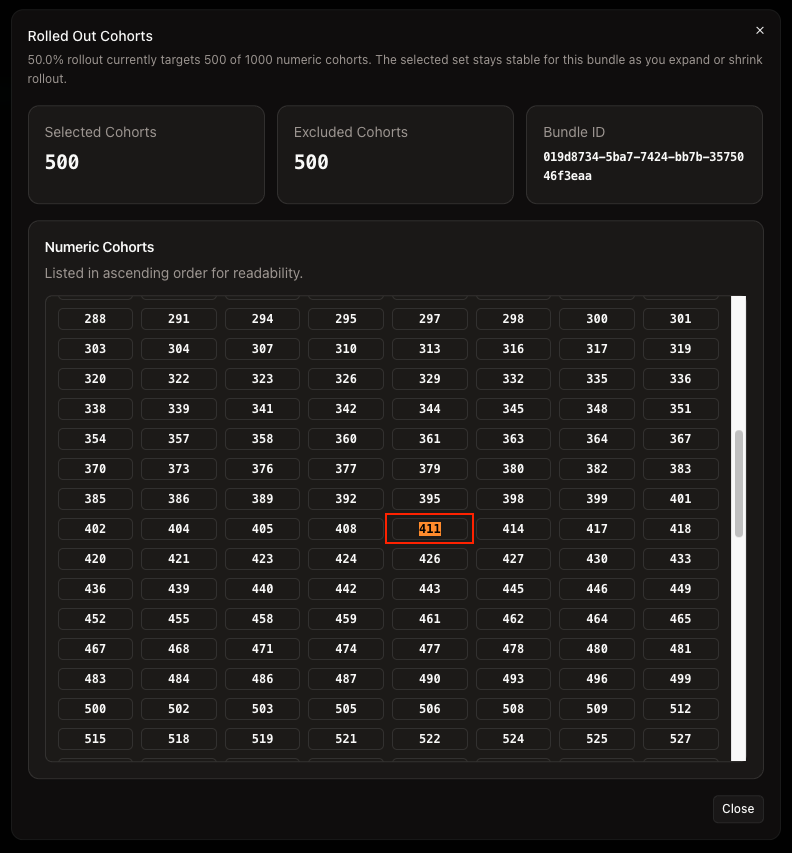
This opens the numeric cohort preview for that bundle:
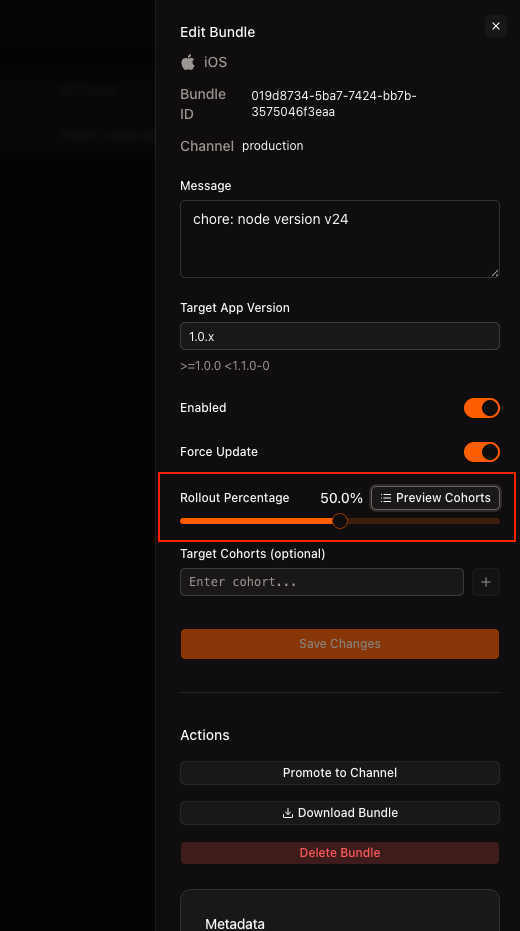
If rollout is 50.0%, Hot Updater selects 500 numeric cohorts out of
1..1000. That selection is based on the bundle's bundleId, so the result is
stable for that bundle.
50% rollout does not mean cohorts 1..500. Hot Updater uses a stable
shuffled set per bundle, and Preview Cohorts shows the exact numeric cohorts
selected for that rollout.
You can read the result like this:
| Check | Example | Result |
|---|---|---|
| Device cohort | HotUpdater.getCohort() = 411 | This device belongs to cohort 411. |
| Rollout percentage | 50.0% | The bundle targets 500 of 1000 numeric cohorts. |
| Cohort excluded from preview | 410 is not in the selected list | A device in cohort 410 does not receive this bundle. |
| Cohort included in preview | 411 is in the selected list | A device in cohort 411 does receive this bundle. |
Here is the direct check for cohort 411:
In this example, cohort 411 is included in the selected rollout set. Since
the iOS example app above reported HotUpdater.getCohort(): 411, this device
is eligible for the rollout and will receive the bundle.
After the app checks for updates and applies the eligible bundle, you end up with the post-update state below:
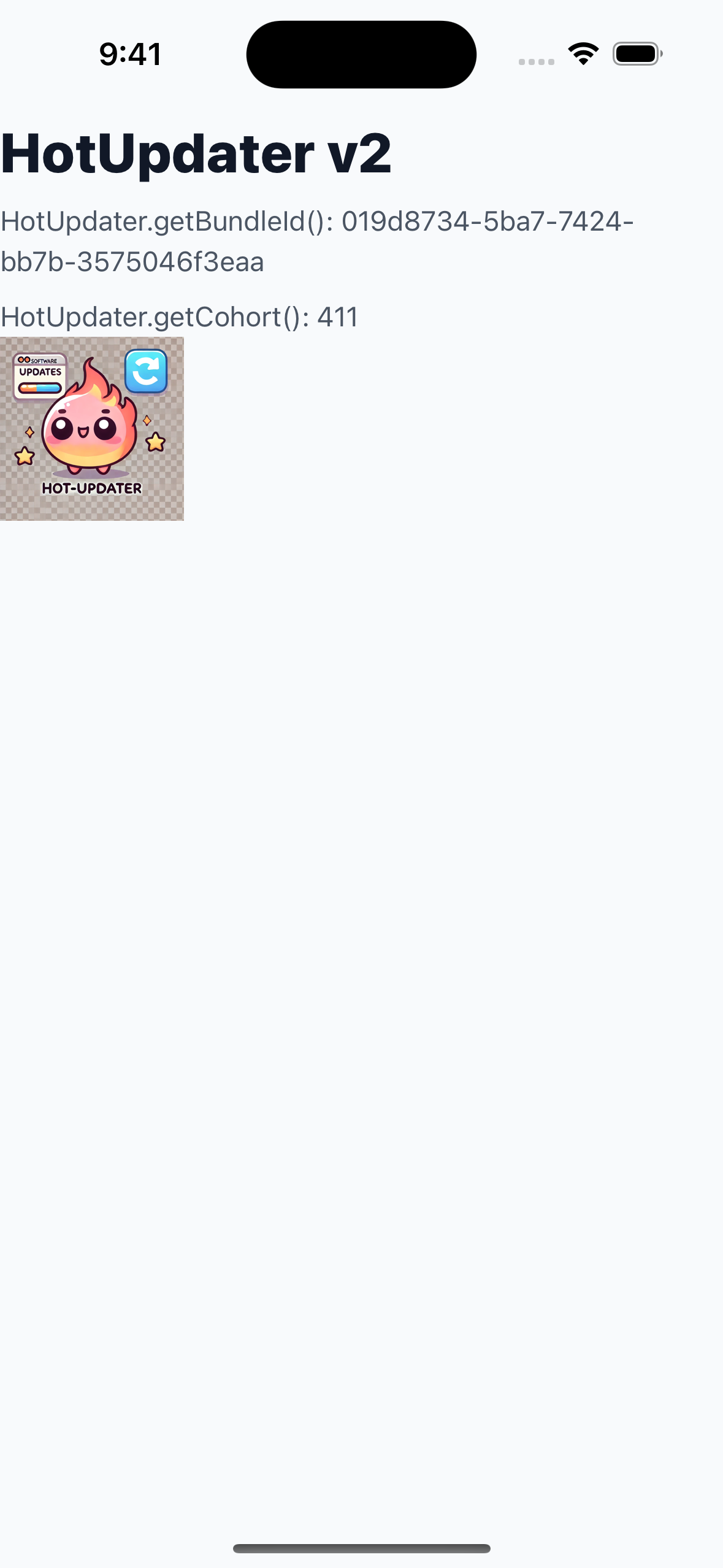
This walkthrough shows the normal numeric rollout flow:
- The device starts with cohort
411. - You deploy with
npx hot-updater deploy -p ios -r 50. - The preview confirms that cohort
411is included. - The device is eligible, so it receives the bundle.
This is why the preview is useful: percentage rollout is not a simple 1..500
range. Hot Updater keeps a stable shuffled set per bundle, and Preview Cohorts shows the exact numeric cohorts included in that rollout.
Scenario 2: Manual Cohort Override and Target Cohorts
Use this flow when you want a fixed tester group to keep receiving the bundle while numeric rollout continues for the rest of the audience.
This is useful because numeric rollout picks a stable but bundle-specific
numeric cohort set. A tester device may or may not be in that set.
Target Cohorts lets you keep a known group such as qa included throughout
rollout.
In this example, tester devices use cohort qa, and the bundle keeps
Rollout Percentage = 50.0% while also targeting qa.
You can use the same flow with a numeric cohort such as 411.
This is the device state after setting the cohort to qa:
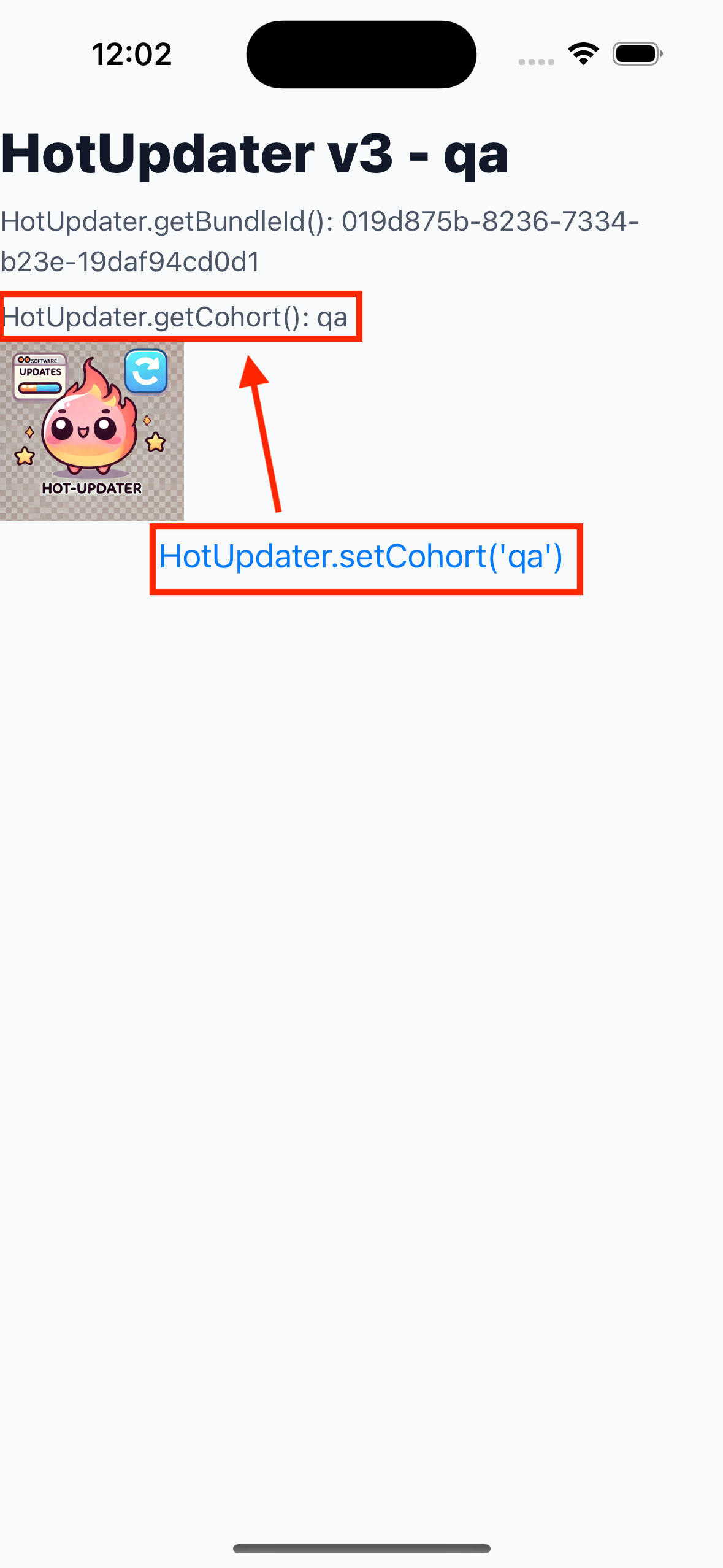
In this example, the app UI shows HotUpdater.getCohort() = qa.
Set the Device Cohort
Use HotUpdater.setCohort() to make the device act like a specific cohort:
import { HotUpdater } from "@hot-updater/react-native";

function assignQaCohort() {
  HotUpdater.setCohort("qa");
  console.log("Active cohort:", HotUpdater.getCohort());
}
import { HotUpdater } from "@hot-updater/react-native";
function assignNumericCohort() {
HotUpdater.setCohort("411");
console.log("Active cohort:", HotUpdater.getCohort());
}You can set either kind of cohort:
HotUpdater.setCohort("qa")puts the device in a named tester group.HotUpdater.setCohort("411")makes the device behave like numeric cohort411.- A numeric override is useful when you want a tester device to follow a bundle that is already rolling out to a known numeric cohort.
If you want to restore the original cohort later, read it with
HotUpdater.getCohort() and save it before calling setCohort().
Target Specific Cohorts from the Console
If you want numeric rollout and a fixed tester group at the same time, keep both on the same bundle. A common flow is:
- Deploy the bundle with
-r 0. - Add
qatoTarget Cohorts. - After QA verifies the bundle, increase the same bundle to
50%rollout.
You can do the same thing from the CLI:
npx hot-updater bundle update <bundle-id> --target-cohorts qa -y
npx hot-updater bundle update <bundle-id> --rollout-cohort-count 500 -y
--rollout-cohort-count 500 is equivalent to a 50% rollout because Hot
Updater uses 1000 numeric cohorts.
After QA verifies the bundle and you raise the same bundle to 50%, the
console can look like this:
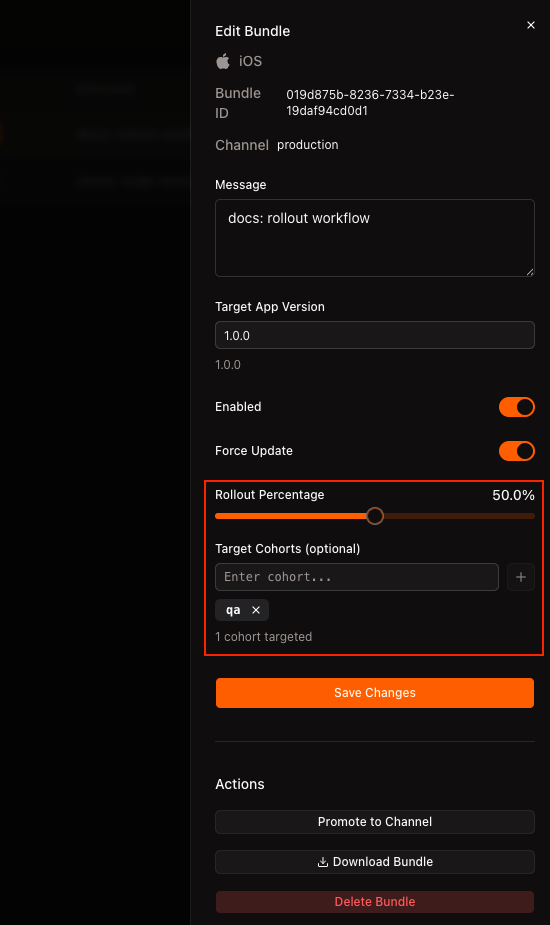
In this example, the bundle is configured like this:
Rollout Percentage = 50.0%Target Cohorts = qa
Target Cohorts supports both custom cohorts like qa and numeric values like
411. Think of it as an explicit cohort list: you can put existing numeric
cohorts and custom cohorts in the same place.
Rollout Percentage and Target Cohorts work together.
- Numeric rollout still applies to the selected numeric cohorts for this bundle.
Target Cohortsadds extra cohorts such asqaor411.
You may see both settings in the console at the same time, as in the screenshot
above. In this state, the numeric 50.0% rollout still applies to the bundle's
selected numeric cohorts, and devices in qa are also included.
This is useful in two common cases:
- Deploy with
-r 0andTarget Cohorts = qawhen you want to test the bundle with QA first. - Raise the same bundle to
50%later and keepqainTarget Cohortsso the main rollout and QA testing continue together.
You can read the result like this:
| Check | Example | Result |
|---|---|---|
| Numeric rollout device | HotUpdater.getCohort() = 411, and 411 is in Preview Cohorts | This device receives the bundle through numeric rollout. |
| QA tester device | HotUpdater.getCohort() = qa | This device receives the bundle because qa is in Target Cohorts. |
| Numeric cohort outside rollout | HotUpdater.getCohort() = 410, and 410 is not in Preview Cohorts | This device does not receive the bundle unless 410 is also added to Target Cohorts. |
| Other custom cohort | HotUpdater.getCohort() = dogfood | This device does not receive the bundle unless dogfood is targeted. |
Use this flow when you want stable tester coverage without giving up gradual
numeric rollout. If needed, you can do the same thing with a numeric cohort
such as 411.
Manual Override Flow
- Read the current cohort on the tester device with
HotUpdater.getCohort(). - Change it to
qawithHotUpdater.setCohort(). If you want to match a numeric rollout instead, use a value such as411. - Deploy the bundle with
npx hot-updater deploy -p ios -r 0and setTarget Cohorts = qaso only QA devices receive it first. - After QA confirms the bundle, increase rollout to
50%and keepqainTarget Cohortson the same bundle. - Devices in the selected numeric rollout keep receiving the bundle, and QA
devices in
qaalso keep receiving it.